You can listen to country music on your phone in Canada with iHeartRadio, Radioplayer or Spotify. Choose live radio for a ready-made mix of music and presenters, or explore playlists if you prefer building your own collection. This guide compares three options, explains what is free and links to the official apps for Android and iPhone.
Choose live country radio or your own playlists
If you want to press play and let a station choose the music, start with iHeartRadio or Radioplayer. Live radio brings a scheduled mix of songs, presenters and commercial breaks. You join whatever is playing at that moment, rather than selecting every track.
If you prefer building a collection around your favourite artists, Spotify offers a different experience. Start with a country playlist or search for an artist, then save the music you enjoy. Free listening and paid features are separate, so check the plan before expecting offline music or an ad-free session.

1. iHeartRadio: a starting point for Pure Country
iHeartRadio offers free listening in Canada, including live stations, music streams and podcasts. Its official catalogue includes Pure Country Radio, labelled Canada’s Pure Country. That makes it a useful first stop if you want country programming without putting together your own playlist.
Search for Pure Country in the app and check the station name before pressing play. If you are looking for a particular local programme, include the city in your search: a national stream and a local station may not share the same schedule.
The Canadian service also describes artist-based stations, including country. These can help you explore a sound you already like. The store listing may show optional purchases; check the offer displayed on your device rather than assuming every feature is included with free listening.
iHeartRadio
iHeartMedia · Android and iPhone · Free radio listening; check any optional offers.
Visit official website2. Radioplayer: explore Canadian stations
Radioplayer brings together Canadian radio stations in one place. Select Canada when setting up the app, then search for a station or choose your city for local suggestions. It is a practical option if your listening includes country music alongside local news or other radio formats.
Country 104 promotes Radioplayer on its own website, making it one concrete starting point for country listeners. Search for the station by name and confirm its identity. Availability can change, so use the broadcaster’s official website if a particular stream is missing or temporarily unavailable.
The official Radioplayer app is published by Radioplayer Worldwide and is free, with no registration required for listening. Save your favourites after trying them. Free access does not mean the station’s own broadcast is free of commercial breaks.
Radioplayer
Radioplayer Worldwide · Android and iPhone · Free access to participating radio stations.
Visit official website3. Spotify: build a country collection
Spotify’s Canadian free service lets you discover music, create playlists and receive recommendations. Search for country music, an album or an artist you already enjoy. For a more focused starting point, try terms such as Canadian country, classic country or acoustic country and inspect the results.
Look at who created a playlist and sample a few tracks before saving it. A playlist name alone does not guarantee that every song fits your taste. Build a small collection first, then add discoveries over time instead of saving dozens of lists you may never revisit.
Spotify Free includes advertising. Premium offers additional benefits, including music downloads for offline listening. Saving a playlist to your library is not the same as downloading it. Check the current Canadian plan terms before paying, especially if a trial renews automatically.
Spotify
Spotify · Android and iPhone · Free with ads; Premium required for offline music downloads.
Visit official websiteHow to find a country sound you enjoy
Start with one familiar song. If you like its acoustic instruments and storytelling, try a classic-country or acoustic search. If you prefer a more polished, upbeat sound, try contemporary-country selections. These search terms are starting points, not strict labels for every track.
For radio, give a station enough time to hear several songs and some presentation. A single song is a poor guide to the whole schedule. Keep two or three favourites with different moods: one for relaxed listening, one for upbeat music and another for discovery.
For playlists, compare the track list rather than choosing by the cover alone. You can keep a short personal list for familiar favourites and a separate list for discoveries. This makes it easier to return to something you enjoyed without relying on the search history.
Listen with less mobile data
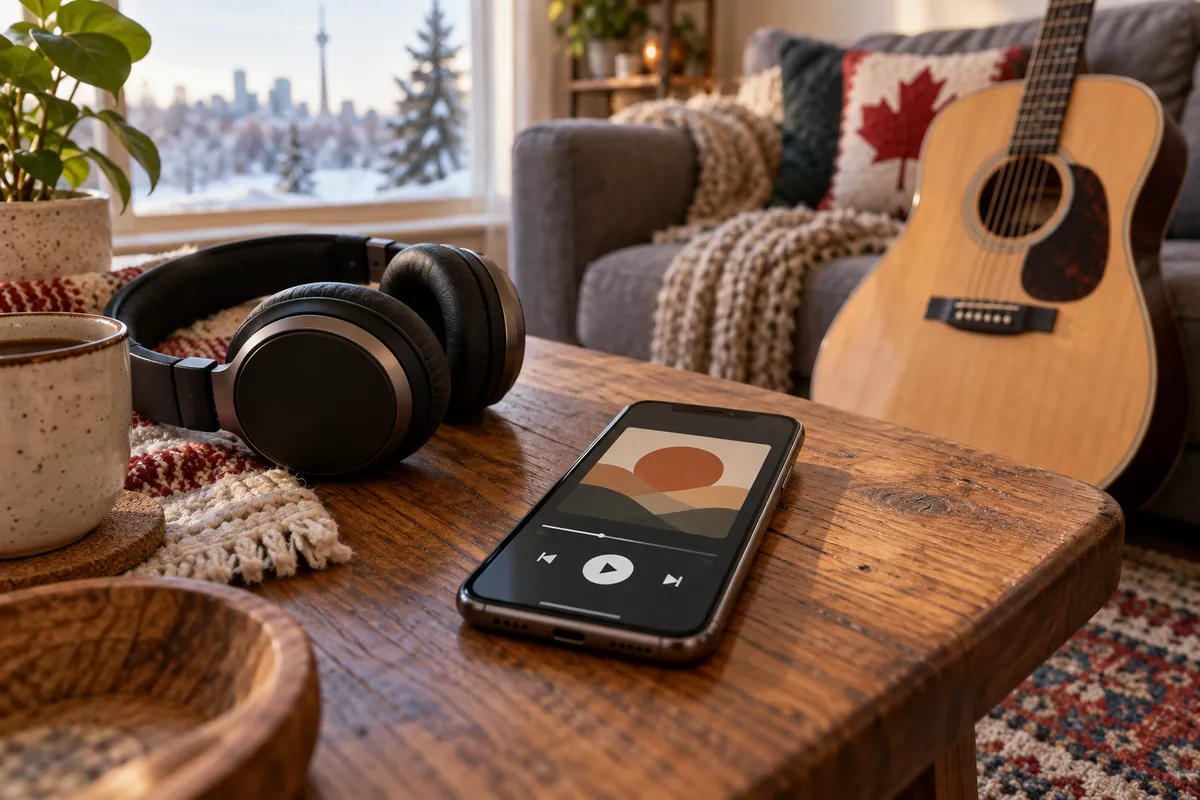
Internet radio uses a connection while it plays. Installing an app or saving a station does not make its live broadcast available offline. Use Wi-Fi when convenient and check your mobile plan before leaving a stream running for a long session.
For a useful comparison, note the app’s data usage in your phone settings, listen for a set period, and check it again. Your own measurement is more useful than assuming that every station uses the same amount. Audio quality and session length can affect consumption.
Spotify offers a Data Saver setting. If you subscribe to Premium and need music away from coverage, download the playlist in advance and confirm that the download finished. Test it before travelling; merely opening a playlist once does not guarantee offline playback.
Set up your first listening session
Open the official store link for your device and check the developer’s name. Review compatibility, install the app and choose a station or playlist. Start at a comfortable volume, then save the selection if you want to return to it.
If playback stops, try another station or track first. When only one stream fails, the problem may be with that broadcast. If nothing plays, check your internet connection. If audio stops only when the screen locks, review the phone’s background activity and battery restrictions for that app.
Before a car journey, set up your audio while parked. Use supported hands-free controls once moving and avoid searching on the phone while driving. Long rural routes can include coverage gaps, so plan around connectivity rather than expecting a live stream to work everywhere.
Frequently asked questions
Can I listen to country music for free in Canada?
Yes. iHeartRadio and Radioplayer offer free radio listening, and Spotify has a free tier with ads. Your mobile carrier may still charge for data under your plan.
Which app should I try first?
Try iHeartRadio for Pure Country, Radioplayer for participating Canadian stations, or Spotify for playlists. The best fit depends on whether you prefer scheduled radio or a personal music collection.
Can I listen without internet?
Live internet radio needs a connection. Spotify Premium supports downloaded music; Spotify Free does not include music downloads. A favourite or saved playlist is not an offline copy.
Are these apps available for iPhone and Android?
The official store links above cover both platforms. Compatibility depends on your device, operating system and store region, so check the requirements shown before installing.
Will a Canadian station play only Canadian artists?
Do not assume so. A station’s Canadian location does not mean every song is by a Canadian performer. Check its programming or inspect a playlist’s tracks if that distinction matters to you.
Do I need to install all three apps?
No. Start with one, test your preferred music and check how easily you can return to it. Add another only if it offers a station or listening experience you are missing.
Conclusion
Choose the experience you want first: Pure Country through iHeartRadio, participating Canadian stations through Radioplayer, or a personal country collection through Spotify. Try the free listening available, save a few favourites and check your data use. Consider a paid plan only when its specific features, such as offline music downloads, fit your routine.